Real Materials series for Blender: FAQ & documentation
Q: How to import this material to my scene? There is only *.blend file!
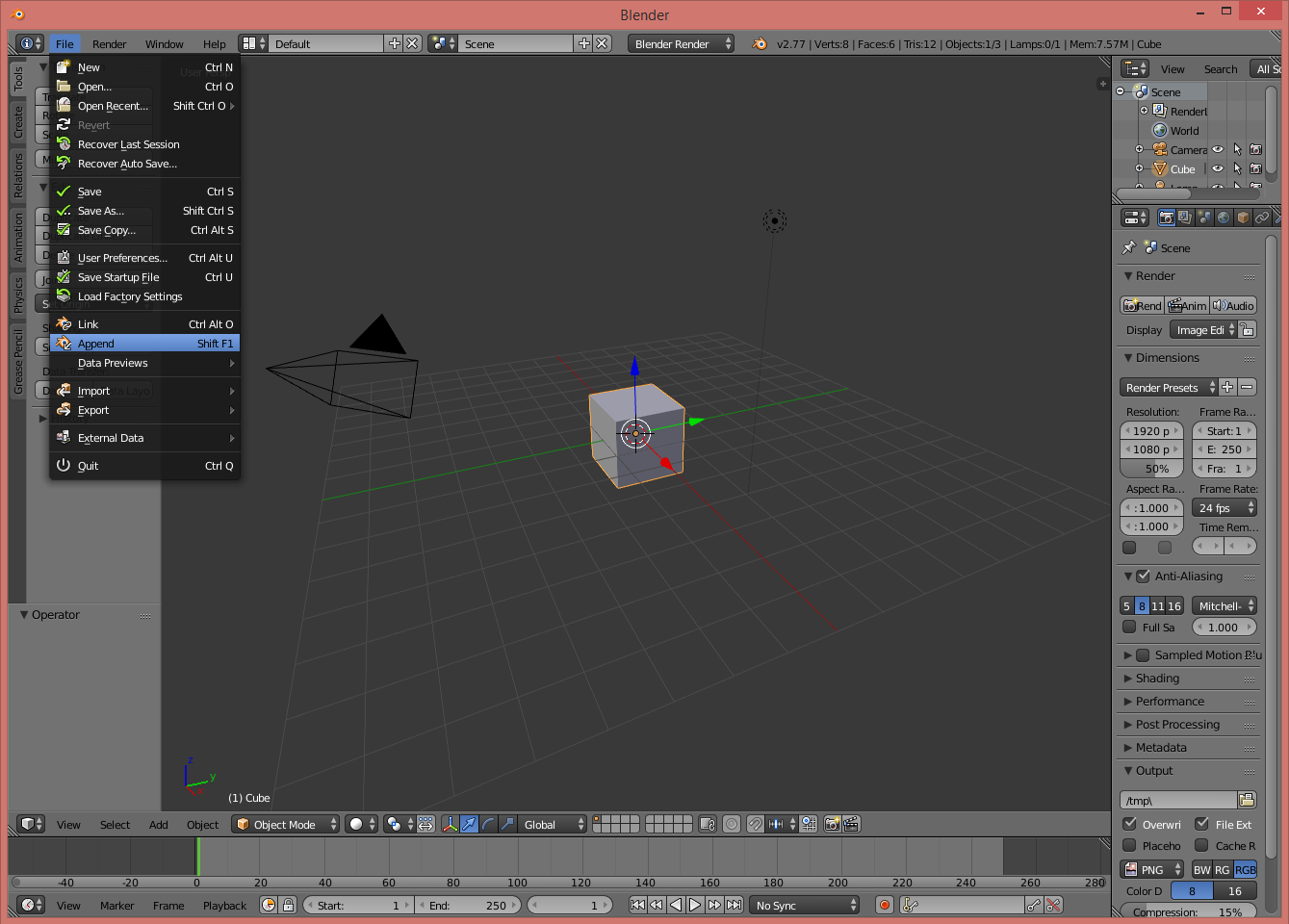
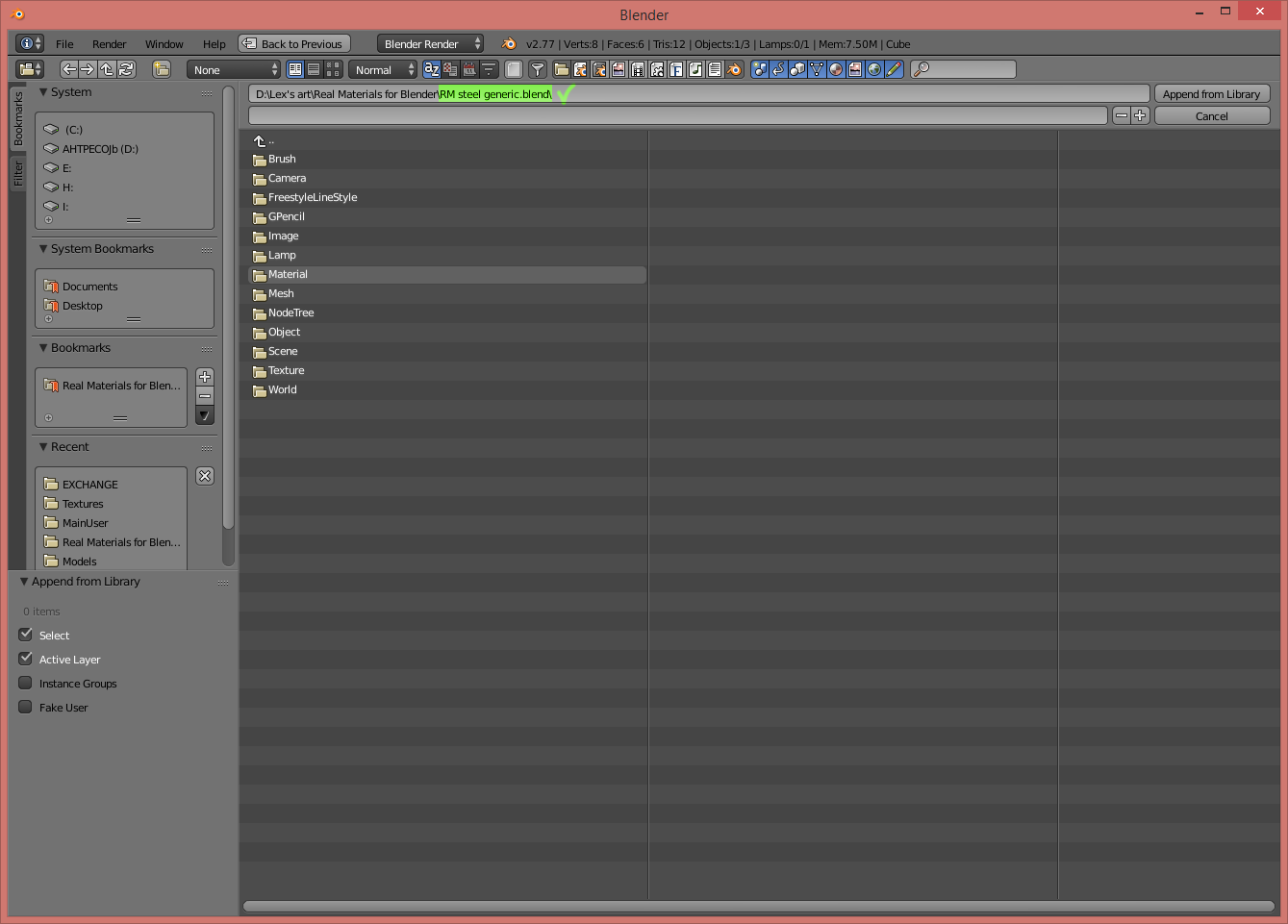
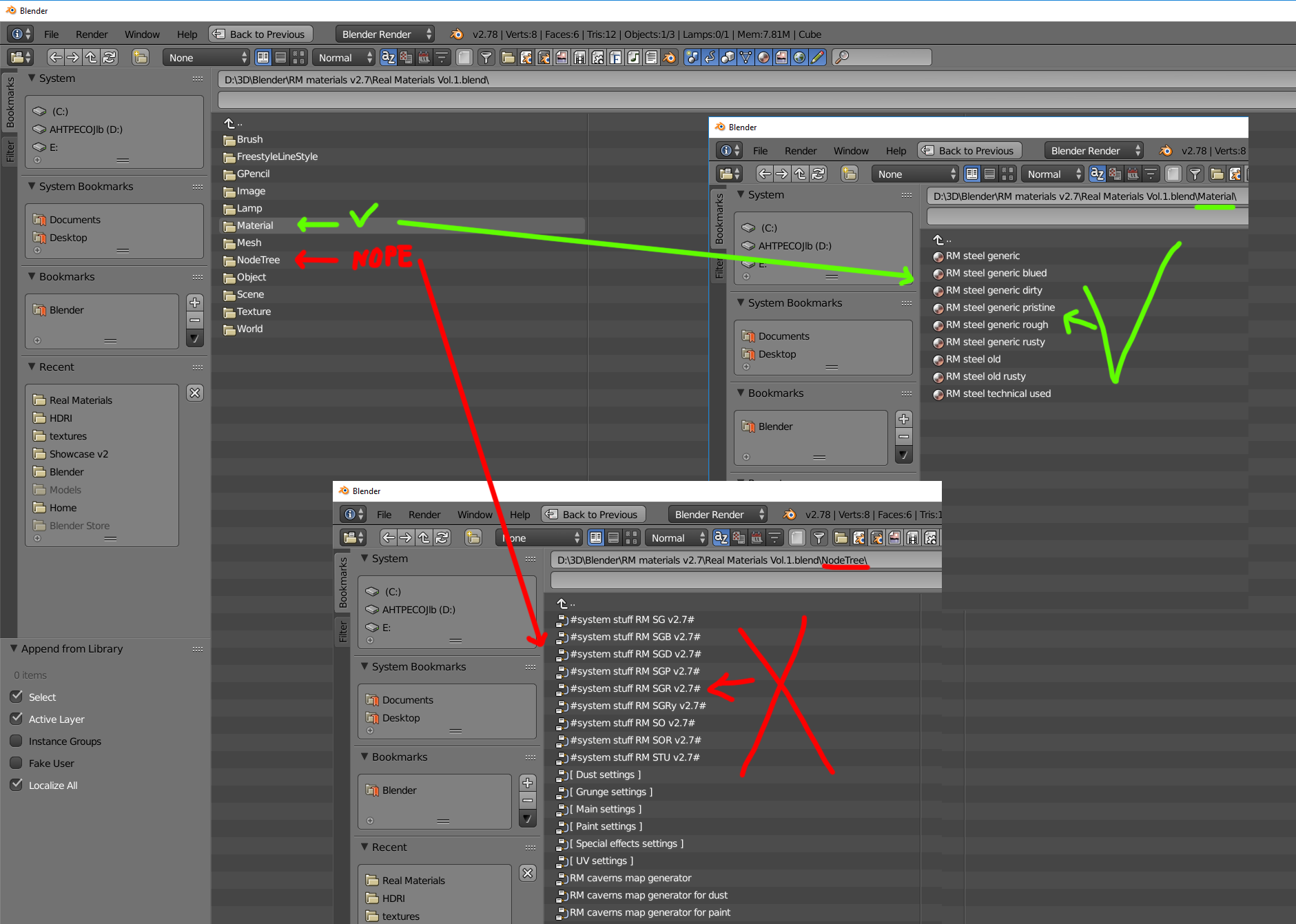
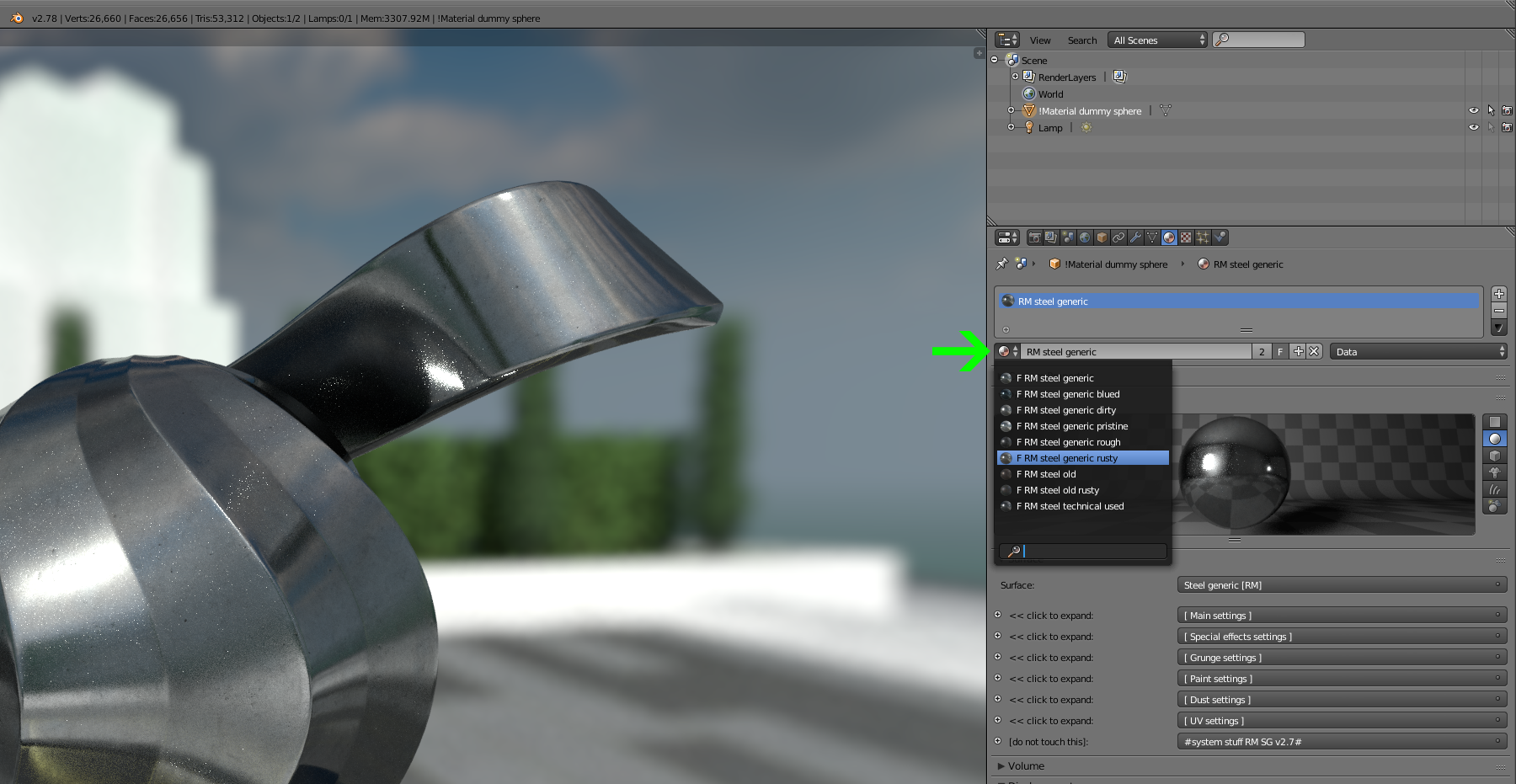
A: In Blender main menu select "File" -> "Append" and navigate to *.blend file that you bough. Click once on this *.blend scene file and it will open like zip-archive - navigate to "Materials" folder inside (not "NodeTree"!), select all needed materials and hit "Append from Library" button. Now these materials will be available in your scene (they're all have "RM" prefix).
A: In Blender main menu select "File" -> "Append" and navigate to *.blend file that you bough. Click once on this *.blend scene file and it will open like zip-archive - navigate to "Materials" folder inside (not "NodeTree"!), select all needed materials and hit "Append from Library" button. Now these materials will be available in your scene (they're all have "RM" prefix).
Q: This metal material looks awesome on yours screenshots, but in my scene it looks poor. Why?
A: Here is a checklist of typical problems with rendering a decent metal:
A: Here is a checklist of typical problems with rendering a decent metal:
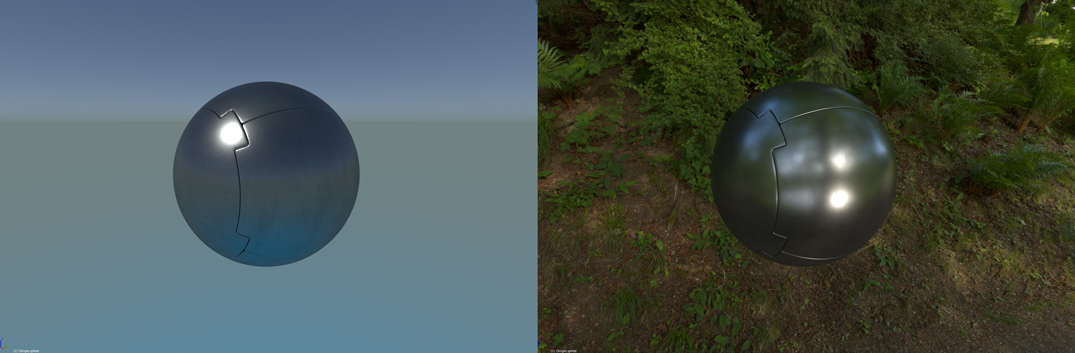
- What we see as "metal" mostly is a reflection of surrounding objects and HDRi skybox on metal surface, so dull/boring scene environment -> dull/boring reflections on metals -> poor metal look:
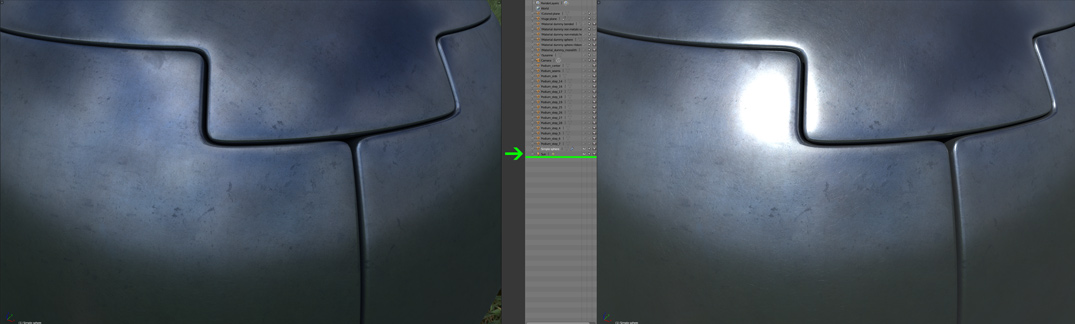
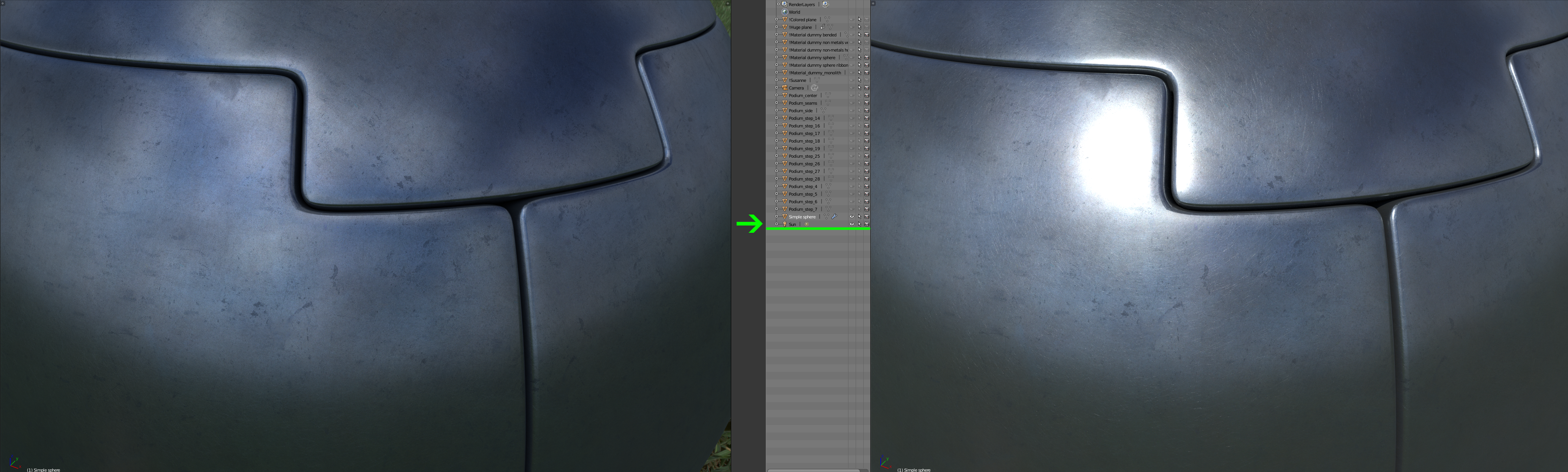
- Note that often HDRi skyboxes do not have sun (or other light sources) captured bright enough to produce correct lighting and highlights; highlights are especially critical for correct "metal" look & feel. In that case you need manually add proper light sources in Blender:
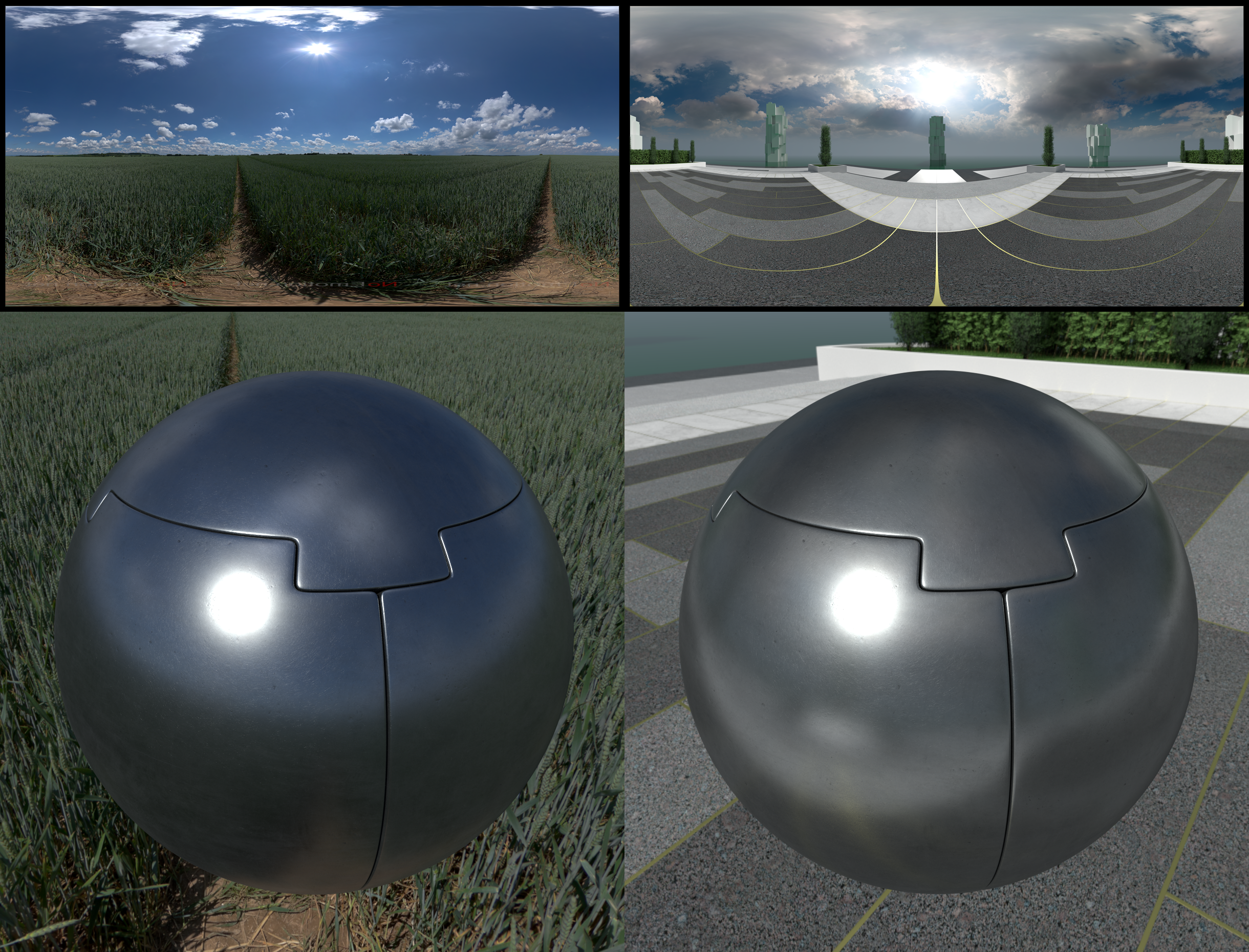
- If metal objects are main theme in your scene - try to avoid HDRi skyboxes with vast blue sky because most metals looks somewhat bad when reflecting only blue sky. Overcast sky and neutral-colored environments gives moar "metallish" look:
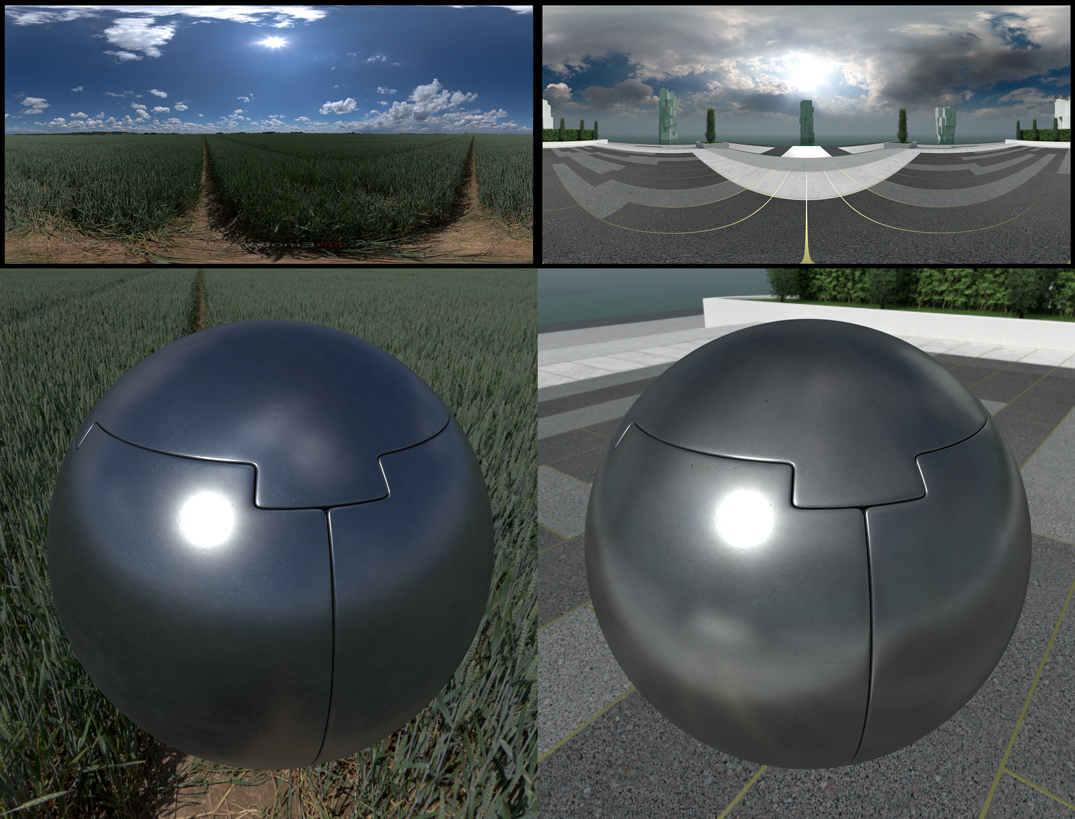
On some screenshots there used HDRi images from https://noemotionhdrs.net/ - you can find a lot of free HDRi environment skyboxes there :).
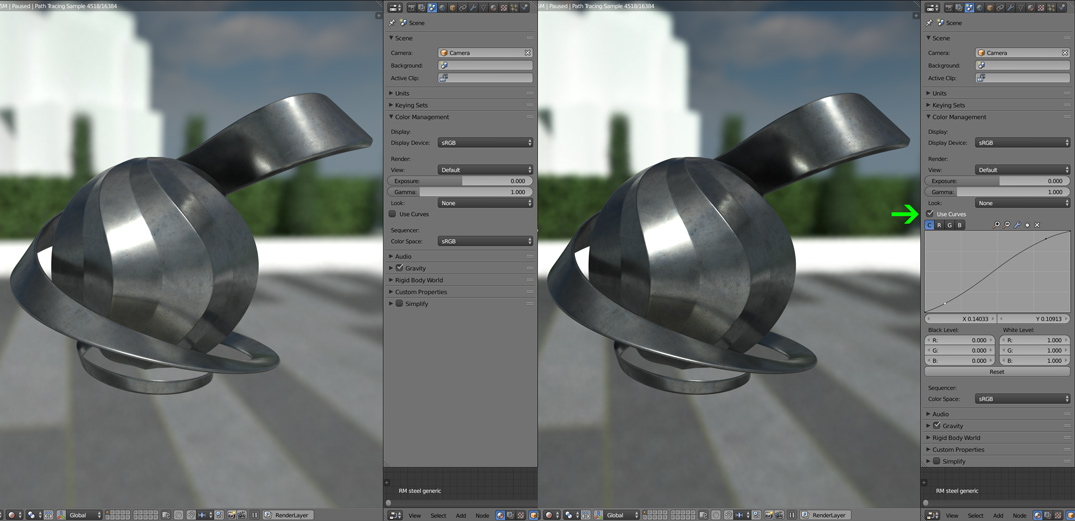
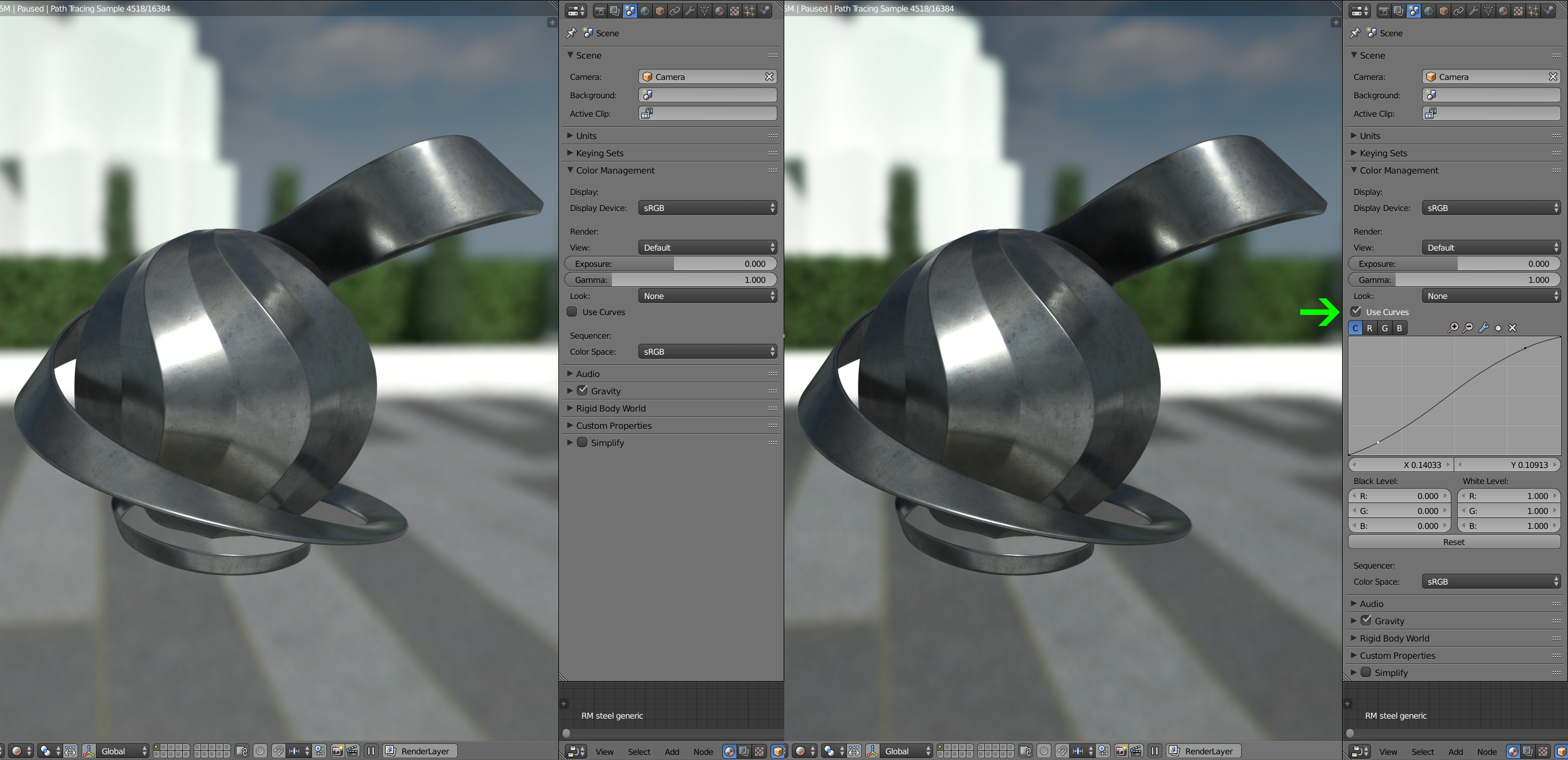
- Don't forget about the dark power of post effects - even simplest use of them can give decent result:



Q: How to tweak material?
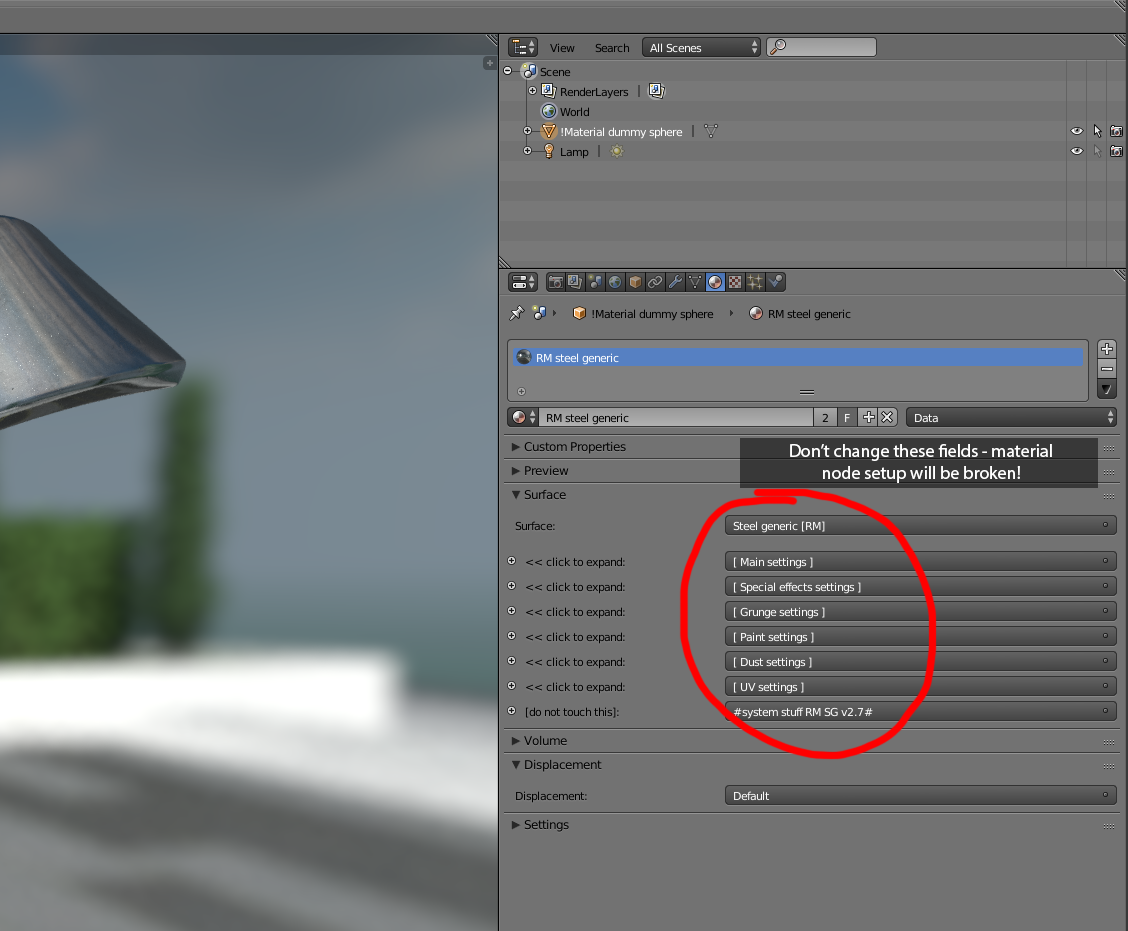
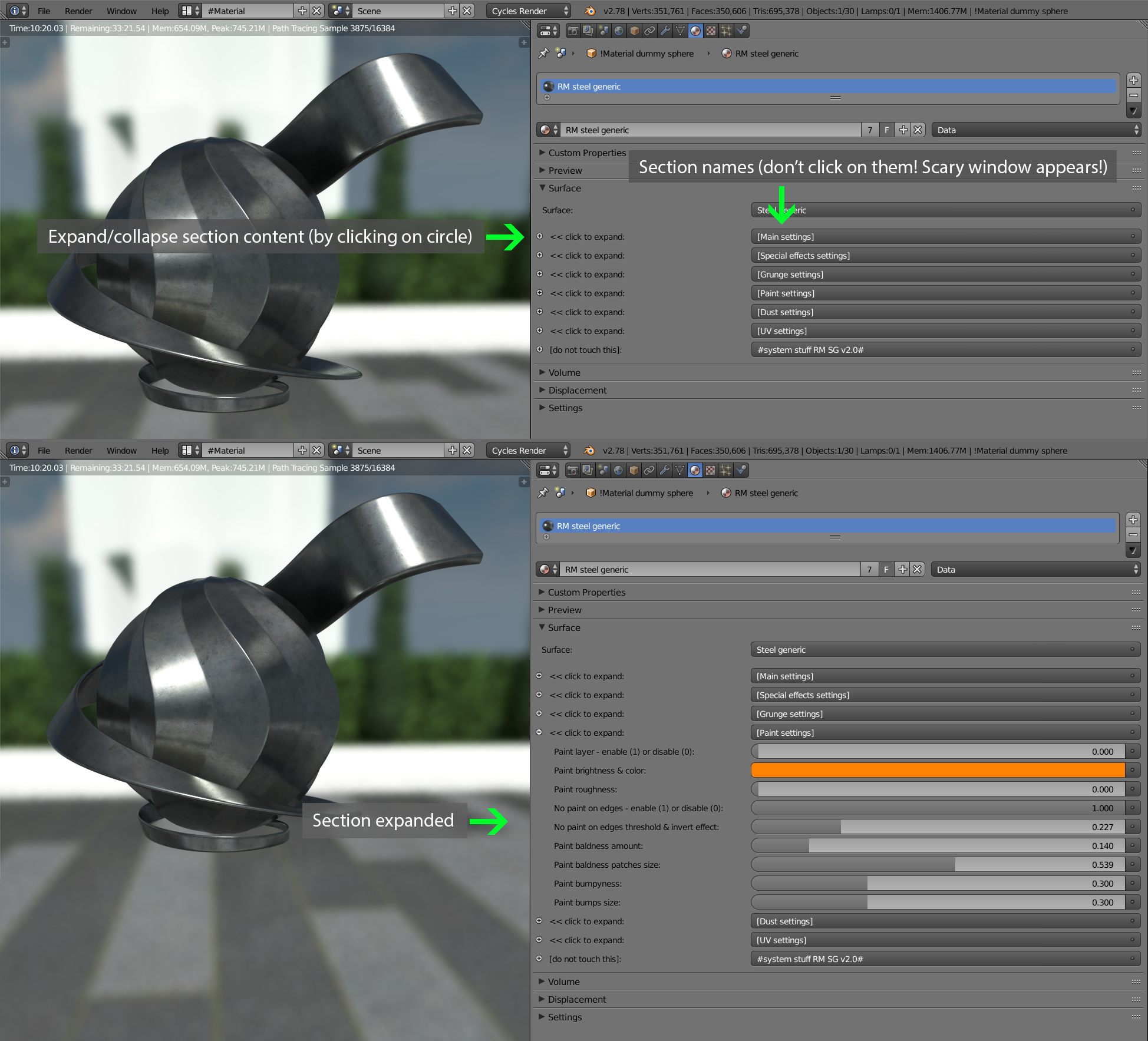
A: On start you will see a bit unusial interface for material parameters (do not change these fields!), were they grouped in sections:
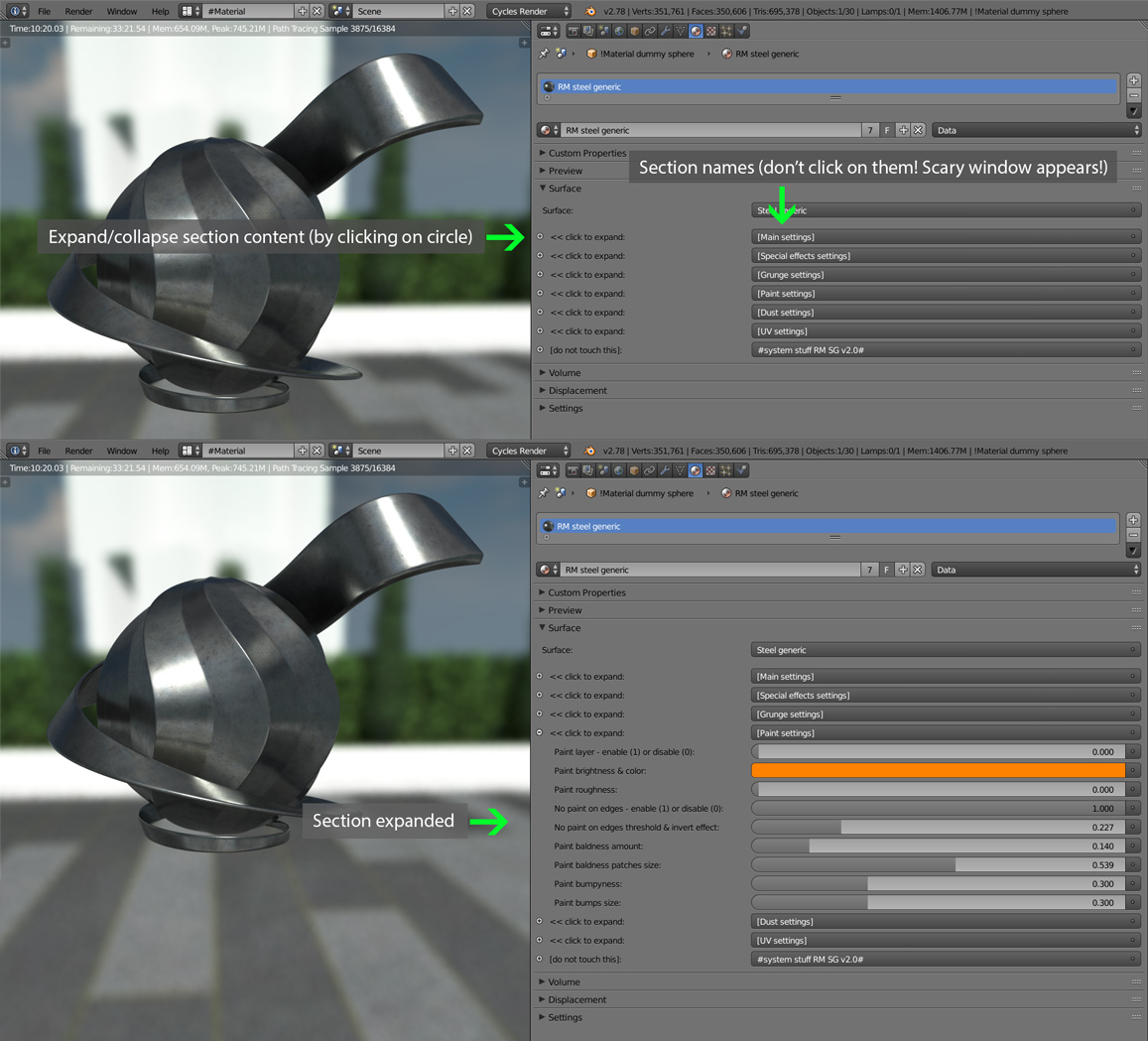
A: On start you will see a bit unusial interface for material parameters (do not change these fields!), were they grouped in sections:
Q: What about perfomance and memory impact using these materials?
A: They are based on 4K textures, up to 500MB per metal material with all features enabled. Note that if parameter name ends like this "...(0 - off)" or "... enable (1) or disable (0)" this means that at zero value they will free memory and computing resources. Here are some numbers for a reference (taken in Blender v2.78):
Remember about option "Hi-res textures - enable(1) or disable(0)", when it's set to zero low-res textures (1024px & 2048px instead of 4K) are used:
Also these metal materials use the same set of textures for effects like scrathces or grunge, this reduces memory impact from 500MB to 250-300MB with each new material added into the scene.
A: They are based on 4K textures, up to 500MB per metal material with all features enabled. Note that if parameter name ends like this "...(0 - off)" or "... enable (1) or disable (0)" this means that at zero value they will free memory and computing resources. Here are some numbers for a reference (taken in Blender v2.78):
| Render time: | Memory consumption: | Material settings: |
| 2.9s | 1MB | Dummy material (for reference) |
| 3.9s | 266MB | Bare metal with all effects & features disabled |
| 5.4s | 298MB | + Activated all features from "Special settings" tab |
| 16s | 496MB | + Grunge layer added on top |
| 17.8s | 496MB | + Paint layer added on top (procedural, no memory impact) |
| 23.3s | 496MB | + Dust layer added on top (procedural, no memory impact) |
Remember about option "Hi-res textures - enable(1) or disable(0)", when it's set to zero low-res textures (1024px & 2048px instead of 4K) are used:

| Render time: | Memory consumption: | Material settings: |
| 2.9s | 1MB | Dummy material (for reference) |
| 3.5s | 26MB | Bare metal with all effects & features disabled [Low-res textures mode] |
| 5s | 58MB | + Activated all features from "Special settings" tab [Low-res textures mode] |
| 15.3s | 90MB | + Grunge layer added on top [Low-res textures mode] |
| 17s | 90MB | + Paint layer added on top (procedural, no memory impact) [Low-res textures mode] |
| 22.3s | 90MB | + Dust layer added on top (procedural, no memory impact) [Low-res textures mode] |
Also these metal materials use the same set of textures for effects like scrathces or grunge, this reduces memory impact from 500MB to 250-300MB with each new material added into the scene.
Q: I have another problem - how I can contact you?
A: Use e-mail from spam-protected image at bottom right of this page. My answer will be placed here to help someone else too.
A: Use e-mail from spam-protected image at bottom right of this page. My answer will be placed here to help someone else too.
